Somewhere in here there’s a joke about a snake eating its own tail. This post — the one you’re reading right now — was written, formatted, and deployed by Claude Code. Every prior post on this site was too. All 31 of them, in 37 days.
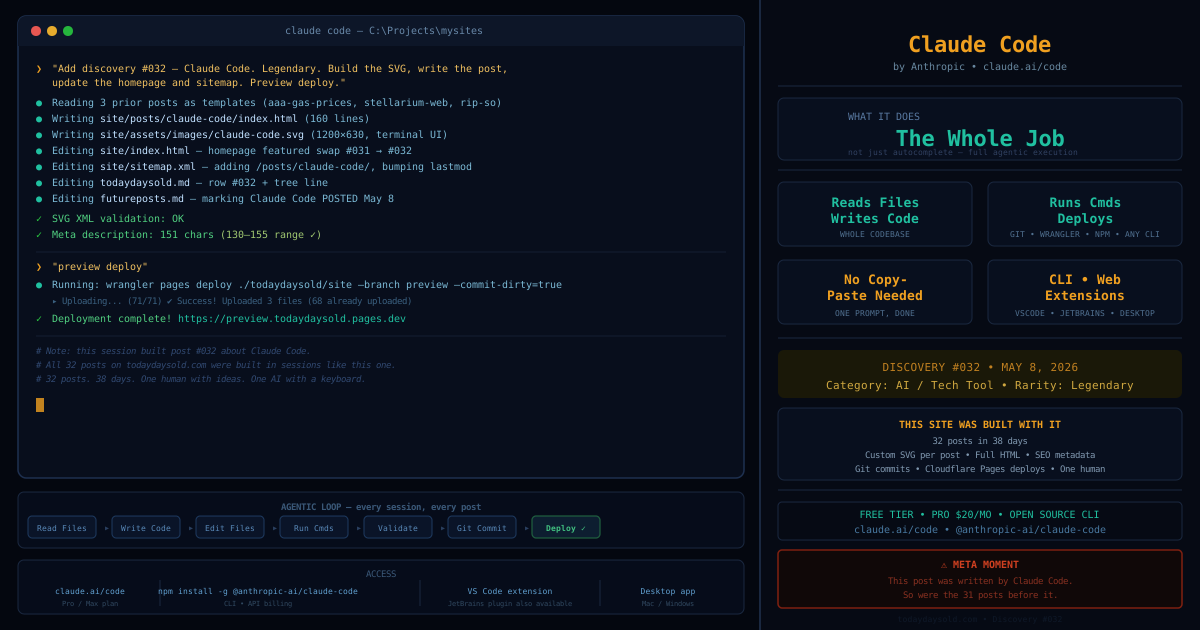
Claude Code is Anthropic’s AI coding tool. It’s a CLI, a desktop app, and a VS Code / JetBrains extension. You open it, describe what you want in plain English, and it reads your files, writes the code, edits what needs to change, runs commands, checks the output, and tells you when it’s done.
The part that’s different:
Most AI coding tools do autocomplete. They suggest the next line, or fill in a function, or fix a bug you highlight. Claude Code does the whole job. Not “here’s a code suggestion” — “here’s the finished file, here’s the git commit, here’s the deploy, here’s the live URL.”
The workflow that built every post on this site, roughly: open the session, say something like “Add a discovery post about Stellarium Web. Date May 6, Epic rarity. Build the SVG hero, write the full post HTML, update the homepage to feature it, update the sitemap, and preview-deploy.” Claude Code reads the existing posts as templates, writes the new HTML, writes a 1,200 by 630 SVG from scratch — with stars, constellation outlines, a time-slider callout — edits the homepage, edits the sitemap, validates the SVG XML, checks the meta description character count, and runs the deploy command. Done. That’s one prompt.
How to use it:
The easiest path is claude.ai — Claude Code is available as part of the Pro and Max plans. Go to claude.ai/code in your browser, no install required.
For the full command-line experience: install the Claude Code CLI via npm (npm install -g @anthropic-ai/claude-code), then run claude in any project directory and start talking. There’s also a VS Code extension and a JetBrains plugin if you prefer IDE integration. Billing is usage-based on the Anthropic API, or covered under a claude.ai Pro/Max subscription.
What it’s not:
It makes mistakes. It misreads requirements sometimes. It can generate a 162-character meta description when you specifically asked for 130–155, and then you have to tell it. You need to review what it builds. But the mistakes are the kind a fast, capable developer makes — not random broken output. It reasons. It asks for clarification. It says “I’m not sure, let me check first.”
It’s also not a replacement for understanding what the code does. The better you understand the output, the better you can steer it. If you have no idea what a git commit is, you’ll struggle to review whether Claude Code did it correctly. Understanding the territory makes you a much better navigator.
Why it’s a today-days-old moment:
The threshold for being a software creator just dropped dramatically. A domain, a Cloudflare account, a Claude subscription, and a text editor. Thirty-two posts in thirty-eight days — each with a custom SVG, full post HTML, SEO metadata, deployed to production, committed to git. One person. No dev team. No sprint planning. No build pipeline setup weekend.
The thing that makes all of this possible is available to anyone right now. That felt worth saying out loud.
Try it at claude.ai/code, or install the CLI: npm install -g @anthropic-ai/claude-code.