Pick a song — any song — paste the URL or upload the file, and Moises hands you back five separate audio tracks: vocals, drums, bass, guitar, and everything else. Each one isolated. Each one controllable. Done in about the time it takes to read this paragraph.
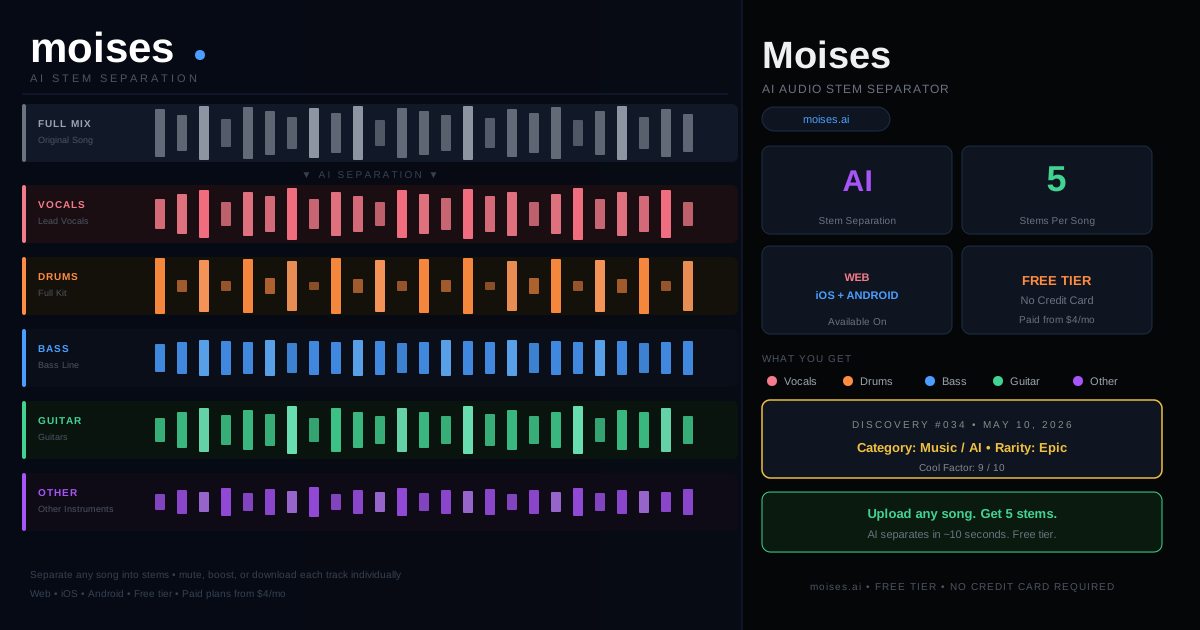
What this means in practice:
You want to learn the guitar riff on a song but the mix is too dense to hear it clearly — mute the vocals and drums and listen to just the guitar. You want karaoke but the song doesn’t have an official instrumental version — remove the vocals. You’re a DJ and you want to layer just the a cappella from one track over the beat from another — grab the vocals stem. You’re a producer and you want to sample a drum groove without the rest of the song — pull the drums track.
None of this required a free browser tool ten years ago. It required a studio, a multitrack recording session, or expensive audio software and hours of painstaking manual EQ work that still never quite sounded right.
How to use it:
Go to moises.ai. Create a free account (or log in with Google). Upload a file or paste a YouTube link. Choose which stems you want separated. Moises runs the AI separation in about 10–30 seconds depending on the song length. You get a multitrack player where you can mute, solo, or download any stem individually.
The free tier gives you a limited number of separations per month — enough to try it out and get hooked. Paid plans run roughly $4–$8/month for unlimited use. iOS and Android apps are available if you want to do this from your phone.
What it’s not:
Not magic — there’s some bleed-through, especially on dense or heavily compressed recordings. A wall-of-sound 1970s rock mix is harder than a clean modern pop production. The drum stem might carry a ghost of the bass. The vocals stem sometimes has a faint reverb of the instruments in it. It’s not a perfect isolated recording. But it’s remarkably usable, and for most purposes — practice, remixing, sampling — it’s good enough that you’ll forget it ever had a flaw.
It’s also not a digital audio workstation. You can’t edit the audio, add effects, or rearrange sections inside Moises. Export the stem, take it to your DAW of choice, and go from there.
Why this is a today-days-old moment:
Stem separation used to be something that happened before a song was mixed — you had to be in the studio when it was recorded, or you needed the original multitrack session files. Once a song was mixed down to stereo, those individual parts were locked in. Permanently. The whole point of mixing was that you couldn’t go back.
AI broke that assumption. Moises can take a finished stereo recording from 1975 and give you something close to the original drum track. That’s genuinely new. And it’s free. Try it on your favorite song — the one where you’ve never quite been able to hear the bassline.
moises.ai — free tier, no credit card required.