I was today days old when I learned that a single developer in Prague has built and maintained a Photoshop clone that runs entirely in your browser, opens .psd files natively, supports layers and masks and filters and smart objects, processes everything locally so your files never leave your computer, and is completely free. One person. Twelve years of solo development. About 10 million visits a month. No login. No subscription. No install. Just photopea.com.
What it is:
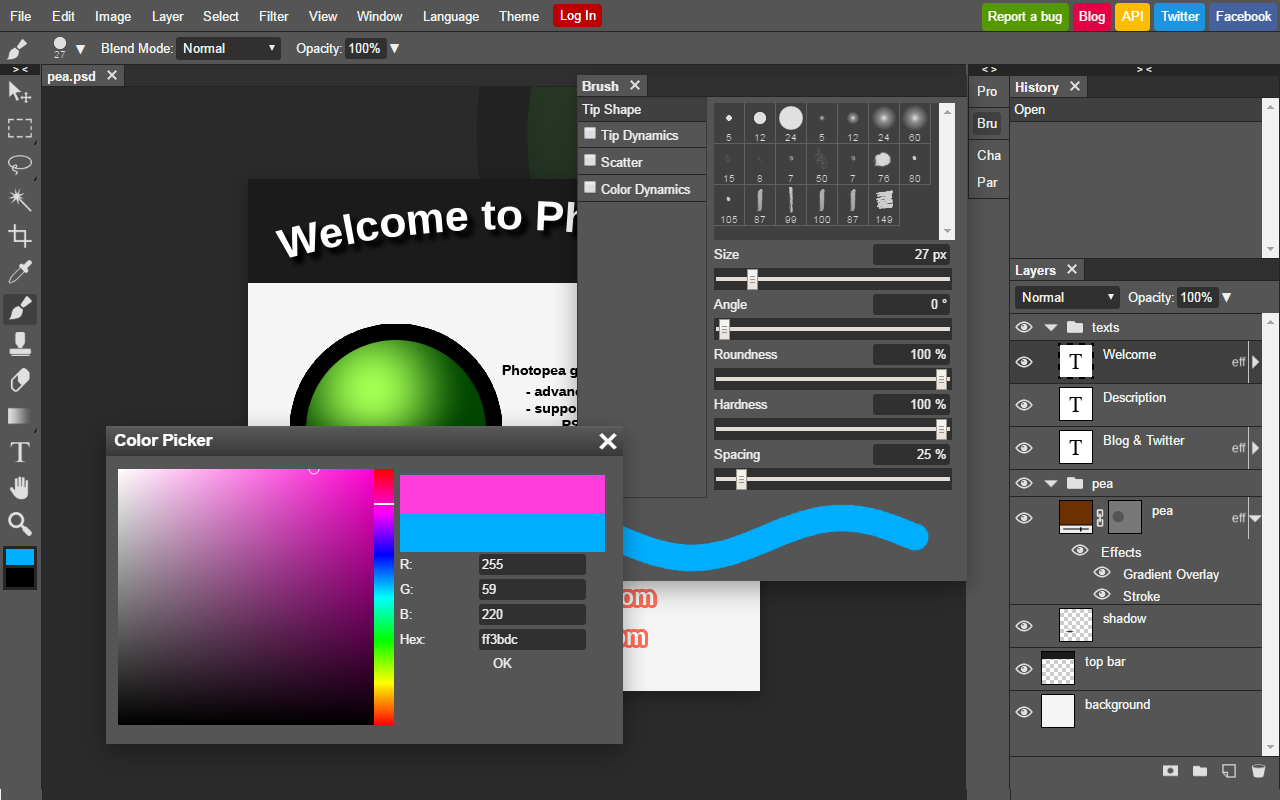
Photopea is a full-featured photo and graphics editor that runs entirely in your browser. The killer detail: it opens Photoshop .psd files natively, preserving layers, effects, smart objects, and everything else Photoshop puts in there. And because it runs entirely client-side (JavaScript in your browser), your files are never uploaded anywhere. You drag a .psd onto photopea.com, the browser processes it locally, and you edit right there — no server involved unless you opt into the cloud-storage feature. This is a genuine privacy advantage over every other “online photo editor” out there.
Who built it (and the scale):
Ivan Kutskir. Solo developer. Born November 1990 in Ukraine, moved to the Czech Republic at age 11, now lives in Prague. Studied Computer Science (with a focus on Theoretical CS and AI) at Charles University, Prague — BS and MS. He released Photopea on September 14, 2013, and has been the only person working on it ever since. Twelve-plus years of solo development. Scale: roughly 10 million visits per month, with ad revenue around $1 million per year (about $100K per month). All of it earned and owned by one person, no employees, no investors, no acquisition. The indie-software success story.
What it can actually do:
File format coverage is Photoshop-tier. Opens PSD (the headliner — with layers and effects preserved). Also handles JPEG, PNG, GIF, BMP, WEBP, SVG, PDF, Adobe Illustrator (AI), Adobe InDesign (INDD), TIFF, MP4, and RAW formats (DNG, CR2, CR3, NEF, ARW, RW2, RAF, ORF, FFF). Can import from Figma and Sketch. Feature set: layers, masks, layer styles, smart objects, adjustment layers, channels, paths, vector graphics tools, Liquify, Puppet Warp, Gaussian blur, Levels, Curves, healing/clone/patch, plus AI background removal and AI image generation (Stable Diffusion). The workflow and keyboard shortcuts are designed to feel like Photoshop — not a GIMP clone, but actually mimicking the Adobe workflow.
The pricing model (and the solo-dev angle):
Free with ads. Premium is about $5 a month and removes ads, expands cloud storage from 500MB to 5GB, and gives 3,000 AI credits monthly (free users get 1 AI use per day). Self-hosted business licensing is also available in the $500–$2,000 per month range. But the real story here is that this entire operation — a Photoshop-capable editor serving 10 million monthly visitors — is sustained by ads and a handful of paying users, all earned by one person, all bootstrapped. No VC. No acquisition pressure. No exit timeline. Ivan just ships features he thinks are cool and lets the ad revenue cover the server costs. That doesn’t happen anymore.
How to start (no install, no login):
Go to photopea.com. Click File → Open. Drag a PSD file, or any supported image format, or paste a URL. Start editing. No signup required. No account needed. If you want cloud storage or the Premium features, you can create an account, but browsing and editing is completely anonymous. The simplest path to a Photoshop-like experience without owning Photoshop.